
Mikrotik GPeR Gigabit Passive Ethernet Repeater up to 1,500 m Ethernet Cable
All technical specifications and product details can be found in the Description section below.
$59.99
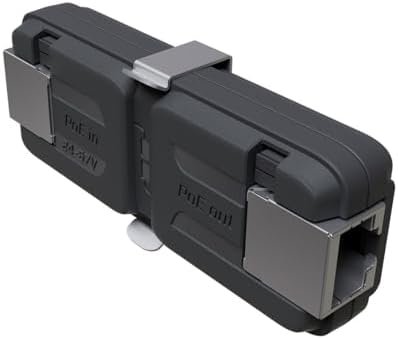
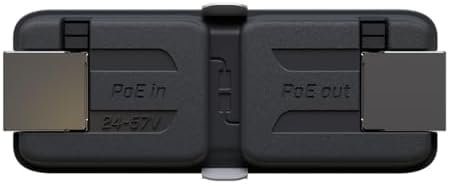
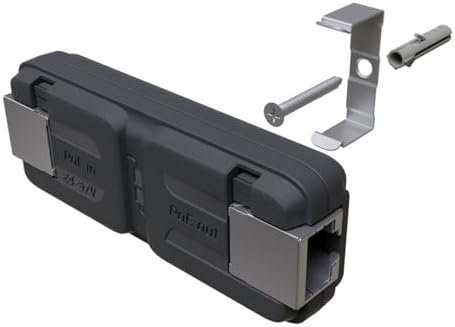
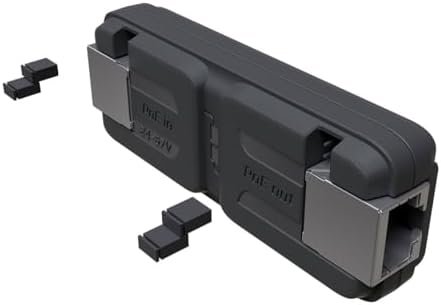
The GPeR unit allows to extend Ethernet cable by additional hop (<100 - 150 m to regular network devices, and up to 210 m to another GPeR unit) up to 1,500 m. Handy for highrise buildings, multi-apartment buildings, with many floors and sections, where very long Ethernet cables might be a problem. Maximium allowed length of CAT6 Ethernet cable between GPeR and power source/router is up to 100 m (depending on cable quality, high quality - up to 150 m). Maximium allowed distance of CAT6 Ethernet cable between two GPeR devices is up to 210 m (depending on cable quality). In case if the destination device does not support PoE-in powering, the PoE Passthrough can be disabled by manually removing all jumpers.
The GPeR unit allows to extend Ethernet cable by additional hop (< 100 - 150 m to regular network devices, and up to 210 m to another GPeR unit) up to 1,500 m
Handy for highrise buildings, multi-apartment buildings, with many floors and sections, where very long Ethernet cables might be a problem
Maximium allowed length of CAT6 Ethernet cable between GPeR and power source/router is up to 100 m (depending on cable quality, high quality – up to 150 m)
Maximium allowed distance of CAT6 Ethernet cable between two GPeR devices is up to 210 m (depending on cable quality)
In case if the destination device does not support PoE-in powering, the PoE Passthrough can be disabled by manually removing all jumpers